Einleitung
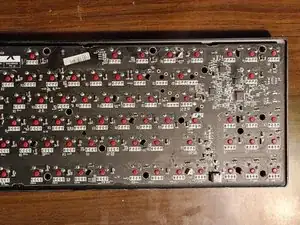
Das war eine kaputte Tastatur, die geöffnet wurde, um die Platine freizulegen.
Werkzeuge

Ersatzteile

-
-
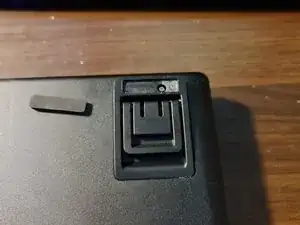
Entferne den Gummifuß aus der oberen rechten Ecke der Tastatur, um eine Maschinenschraube zu offenbaren. Löse danach die Schraube.
-
-
-
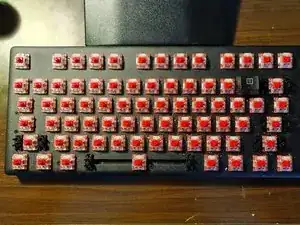
Entferne alle Tasten, um die 16 selbstschneidenden Schrauben freizulegen und entferne dann diese Schrauben.
-
Um dein Gerät wieder zusammenzubauen, befolge die Anleitung in umgekehrter Reihenfolge.

4 Kommentare
Do you happen to know the pinout for the RGB light? Also, the copper trace for the space bard RGB? My RGB pad on the space bar was lifted during de-soldering to fix the stabilizer. The copper trace seems to be the most different in the space bar LED. I need to find the trace to create a new connection to the RGB for the space bar
I could probably work it out for you. It would help if you shared pictures of the lifted trace. In order to effect a repair you will need a soldering iron, solder and flux. You will also need some aircraft or kynar wire (really thin wire). Do you have a multimeter with continuity tester?
How do I get the pcb board off?
Ford -
i dont know how or exactly why, but mine started to rust on the side, next to the shift and caps lock key, im going to try to remove the rust and repaint if there is any good metal sheet left after sanding