Einleitung
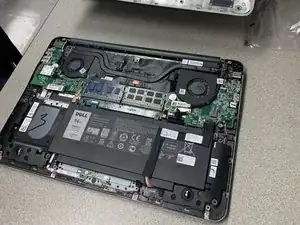
This guide will walk you through the process of replacing a dead or damaged battery in your Dell Inspiron 15-7548.
Werkzeuge


-
-
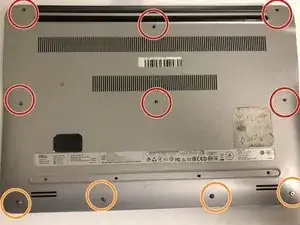
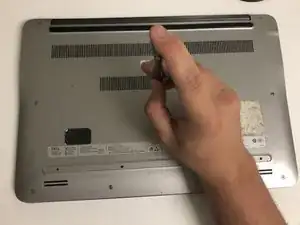
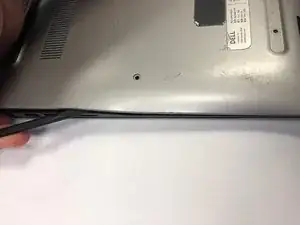
Remove the six 6 mm screws from the back panel with a Phillips #1 screwdriver.
-
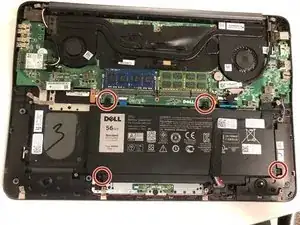
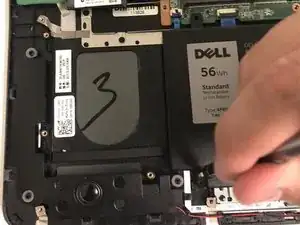
Loosen the four captive screws at the bottom using a Phillips #1 screwdriver.
-
-
-
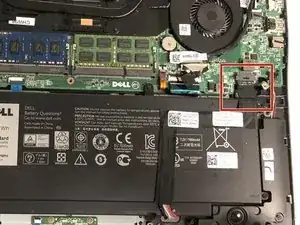
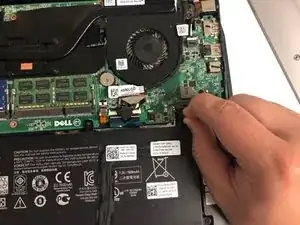
Disconnect the battery from the motherboard by pulling the black tab attached to the cable.
-
Abschluss
To reassemble your device, follow these instructions in reverse order.

Ein Kommentar
Little grey piece on the cable popped off, will that affect anything? Laptop isn’t recognizing that it has a battery after I took it out and put it back in.
Taylor -