Einleitung

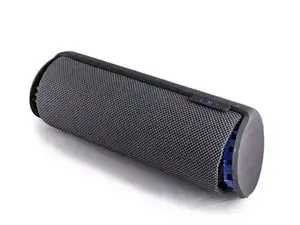
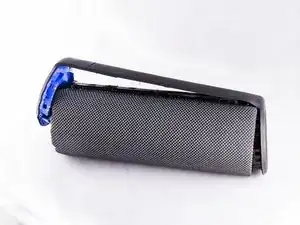
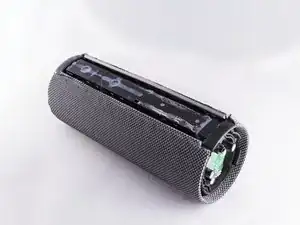
Diese Anleitung zeigt, wie du beide Lautsprecher deiner Logitech UE Megaboom ausbauen und tauschen kannst. .

  1. UiircJt1WBTdn1te
    UiircJt1WBTdn1te
    HjmiqOjPE2hDG5KW
    TNgWtOeLCTwoHOvF
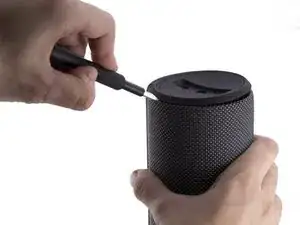
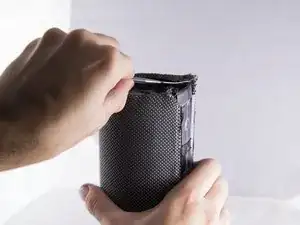
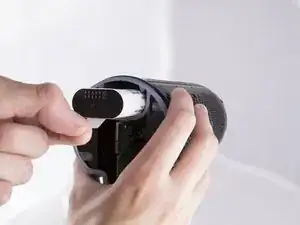
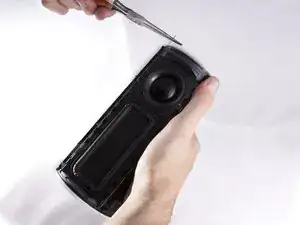
    • Fange an einem Ende des Lautsprechers an.

    • Führe ein Kunststoff-Öffnungswerkzeug in den Spalt zwischen dem Gummideckel und der Gewebe ein.

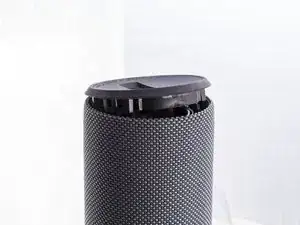
    • Hebele den Gummideckel mit einer Aufwärtsbewegung heraus.

    • Mache dasselbe auf der anderen Seite.

    • Du wirst etwas Kraft aufbringen müssen.

    • Metallische Werkzeuge könnten dein Gerät dauerhaft verkratzen.

    Pry all the way around with the tool as there are “clips” that hold the cap in place all around beneath the cap. Avoid trying to “pull the lid open” from the opening of a half opened lid.

    Jamin Hu -

    Stop! Before you proceed, notice the comments at the end of the guide. You don't have to take apart both sides or remove the mesh fabric. Remove just the bottom cap (with the aux/charge plug).

    Then carefully remove the glue securing the circuit board on the sides and gently pull the board out to reveal the battery under it.

    Caleb Kelsay -

    FWIW I had no luck opening these caps with the tools I bought on iFixit (plastic pry bar, metal Jimmy). I had a lot more luck using the flat edge of a butter knife! (it still took lots of work on my UE Megaboom 3)

    Travis Taylor -

    My megaboom berttrey doesn't charge it becomes like power defending

    Lawrence Memsong -

  2. duXJEwMuaCDrDHCi
    duXJEwMuaCDrDHCi
    bo33IwOCKjCqTeNH
    OVxO6XCAPX5MBPqB
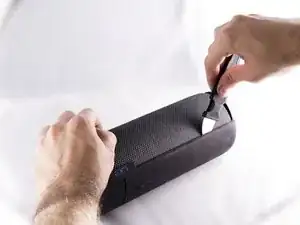
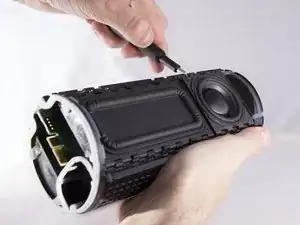
    • Benutze den Jimmy und hebele den Gummistreifen heraus auf dem sich die Lautstärke-Tasten befinden.

    • Du wirst Klicks beim Heraushebeln hören, aber mach dir keine Sorgen.

    • Entferne den ganzen Gummistreifen nach dem Heraushebeln.

    Die Deckelseite mit den Eingängen USB und Aux geht deutlich leichter auf und reicht auch!!!

    anschlie0end seitlich den Gummistreifen lockern, dass der Deckel zurück geklappt werden kann.

    Dann muss die ca 2cm starke Deckelplatte mit dem kompletten Umfang (ist auf die Box aufgesteckt ab.

    Hierzu das Gewebe nur an dieser Seite aus der Halterung fummeln, dann müsste die Abdeckung schon herausgehen, zur Not das Gewebe an der Längsseite lösen.

    Resümée: Die Anleitung hier zeigt viel zu viele Schritte, die entscheidenden fehlen aber und dann fängt die Anleitung auch noch am falschen Ende an!

    Daniel -

  3. NyMsDcfJm4prdCCF
    NyMsDcfJm4prdCCF
    IAvCa1YQJ4eDlgoh
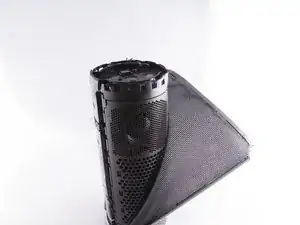
    • Benutze eine Pinzette um die Kunststoffklemme anzuheben, die das Gewebe in der Röhre fixiert.

    • Hebe die Klemme rund um den Lautsprecher herum heraus.

    • Seid dabei vorsichtig, es ist leicht das Gewebe zu beschädigen.

    • Mache dasselbe auf der anderen Seite.

    No need to remove fabric or remove both sides.

    Gavin McGlynn -

    I suppose, if you want to swap the external fabric (for what this guide is basically), you have to remove it first ;-)

    BenZ78 -

    what do you do once fabric removed. can't see how to expose battery

    jonathan scott -

    This guide is how to swap the fabric only. To change the battery you can use this guide.

    BenZ78 -

  4. cJlTTpEFTvCAJGBT
    • Ziehe am weißen Streifen um den Akku heraus zu nehmen.

    This skipped the step of pulling out the circuit card on the battery charge/aux-in side. Pry up below the gasket next to the large capacitors on both sides.

    Joel Magnuson -

    A faire après les étapes 5 et 6 (pas besoin d’ouvrir l’autre côté de l’enceinte).

    Thomas Konotop -

    • Entferne die innenliegende Kunststoff-Dichtung auf der Platine.

    • Entferne die zweite Kunststoff-Dichtung am äußeren Rand der Platine unter der Gummidichtung.

    • Hebele die Platine vorsichtig aus der Kerbe heraus.

  5. 3NF1Y6sXFFNMQvYr
    3NF1Y6sXFFNMQvYr
    JiXKLQVTeMwiyFiw
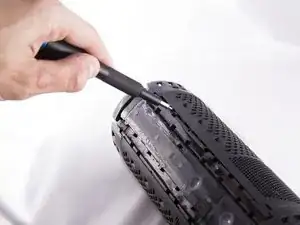
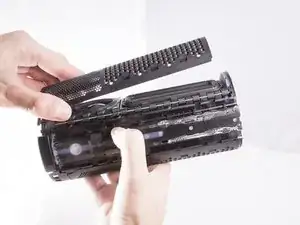
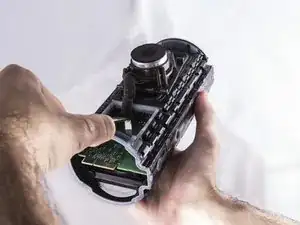
    • Setze ein Öffnungswerkzeug zwischen Grill und Gehäuse ein.

    • Heble nach oben, damit sich die Rasten lösen.

    • Die Rasten lösen sich gut hörbar.

    • Wiederhole für den Grill über dem zweiten Lautsprecher.

  6. rKwgefX6RquNYo6H
    rKwgefX6RquNYo6H
    q3iAuO5afqMviEP1
    • Drücke den dünnen Metallstab an der Seite des Lautsprechers mit einem Öffnungswerkzeug heraus.

    • Fasse den Metallstab mit einer Spitzzange und ziehe ihn ganz aus dem Gerät heraus.

    • Entferne die anderen drei Metallstäbe.

    • Einer befindet sich auf der gleichen Seite, zwei weitere auf der anderen Seite.

  7. XT1ej1tOIlMVpDZU
    XT1ej1tOIlMVpDZU
    An2cUpE3RLvnOijj
    3L4NfCuYXxObUD5x
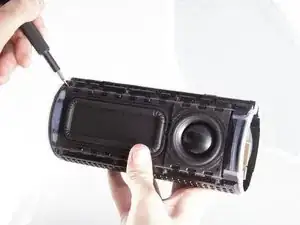
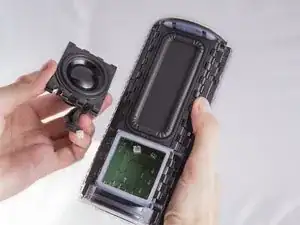
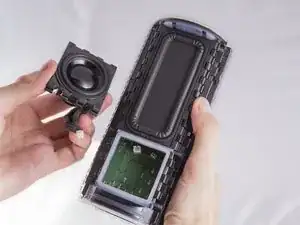
    • Setze ein Öffnungswerkzeug zwischen Lautsprecher und Gehäuse ein.

    • Heble damit, bis sich die Laschen am Lautsprecher lösen.

    • Finde den Kabelanschluss des Lautsprechers auf der Platine und trenne ihn ab.

    • Wiederhole das Ganze für den anderen Lautsprecher.

Abschluss

Um dein Gerät wieder zusammenzubauen, folge den Schritten in umgekehrter Reihenfolge.

Oscar Ambriz

Mitglied seit: 28/09/17

962 Reputation

7 Kommentare

Thank you! I was able to glue one of the passive radiators back in place.

Nick Johnston -

Where can I find a speaker replacement? Thanks for your time

Aldrynaldryn -

I’ve got the same issue. Where can i find the speaker replacement?

Fred BlacKshadow -

For those looking for replacement speakers - either directly from Logitech ( $$$ ) or find a broken one on eBay that’s been water logged or some such thing and recover the speakers from that (since they are waterproof speakers)

Thanks for the article - turns out one of my speaker grills had popped loose and was imitating a blown speaker!

Glenn Griffin -

yes! same issue!

i bought a replacement speaker (which i still have if anyone is looking), but it was a speaker grill stopper that had come unglued and vibrated - sounding exactly as if a blown speaker or radiator.

sweetrobot -

Thank you for this detailed tutorial.

One important thing; do you know where can we buy 2 new speakers ? My UE mega boom fallen down from 4 meters and need to be repaired.

I already dismantle the Megaboom and detected that the 2 speakers are damaged.

Thank you in advance for your answer.

Romain P.

Romain Provenzano -

I use a product called Simply Speakers. speaker repair adhesive #MI-3035. Clean off old glue by applying pressure with your thumb and roll glue off the two faces, use alcohol to clean corners. It takes a little bit of rubbing. Apply a small line on mating surface (to much glue does not make a better seal). Put the two surfaces back together. Lay the radiator housing on a flat surface, Get something flat to put on top of the radiator and apply constant pressure for about 12 hrs (A couple of heavy books or anything with weight). I hope this helps someone.

Rebecca Zubowicz -