
Einleitung
Wenn das LCD kaputt ist, musst du es wahrscheinlich austauschen. Diese Anleitung zeigt, wie das geht.


-
-
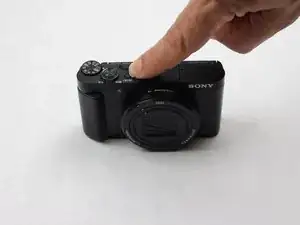
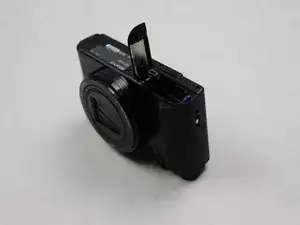
Öffne das Fach unten an der Kamera. Schiebe den LOCK/OPEN Schalter zu OPEN. An der Seite befindet sich eine kleine blaue Lasche. Ziehe sie vom Akku weg. Entferne den Akku und lege ihn zur Seite.
-
-
-
Drehe den LCD-Bildschirm nach oben.
-
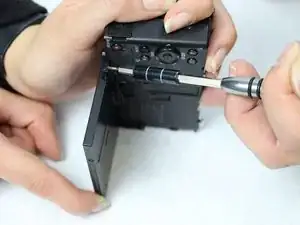
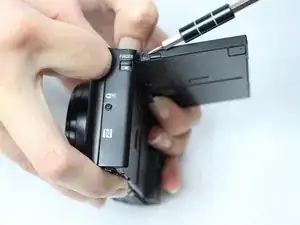
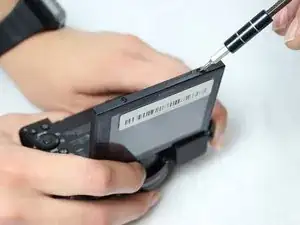
Verwende einen PH000 Kreuzschlitzschraubendreher, um die beiden schwarzen Schrauben an den Seiten des LCD-Bildschirms zu entfernen. Lege die Schrauben auf eine magnetische Arbeitsunterlage oder eine Plastiktüte.
-
-
-
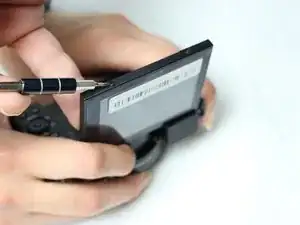
Verwende einen PH000 Kreuzschlitzschraubendreher, um die beiden zusätzlichen schwarzen 0,3 mm Kreuzschlitzschrauben an der Oberkante des LCD-Bildschirms zu entfernen. Lege die Schrauben auf eine magnetische Arbeitsunterlage oder eine Plastiktüte.
-
-
-
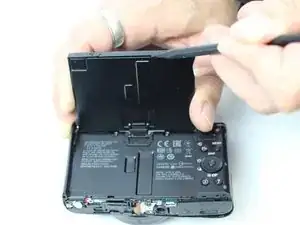
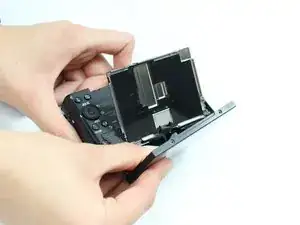
Verwende einen Nylon-Spudger, um den beschädigten LCD-Bildschirm vorsichtig aus der Kamera zu entfernen.
-
Ersetze den LCD- Bildschirm durch einen neuen.
-
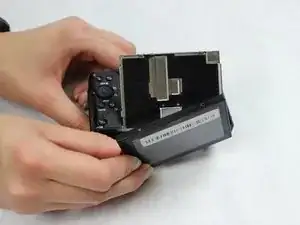
Um dein Gerät wieder zusammenzubauen, folge den Schritten in umgekehrter Reihenfolge.

7 Kommentare
You should note that there is a small rectangular magnet (perhaps 8mm long and 2mm across) that has to be placed at the top of the LCD directly under the flash switch. Otherwise the LCD image will be upside down.
Hello could you show a picture of where exactly under the flash has to be the magnetite tangle. Thanks.
Wolfina -
Anyone know where I can find the cable from the screen to the camera?
same question here! i repalced the lcd thinking that was the problem but the lcd is still black. the viewfinder works fine so i think i need to replace the cable that goes from the camera to the screen. any info?
where can i find the screen other then threw sony